




MICRO DEGREE
Databricks Data Engineering Certification
Become a Certified Databricks Data Engineer in just 6 weeks

100% LIVE Interactive Classes
Become a Certified Databricks Data Engineer in just 6 weeks
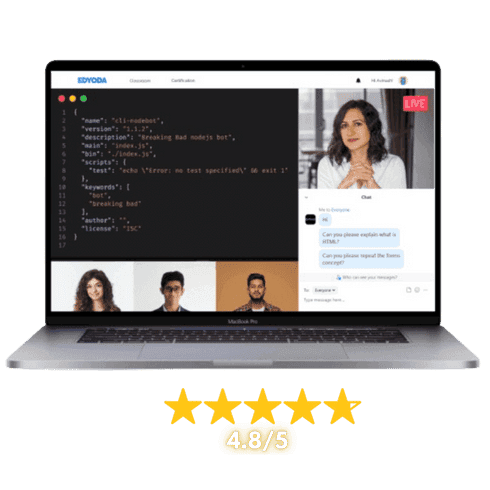
100% LIVE Interactive Classes

Reserve your spot today!
Basic Info
Select Offers
Application closes on:29 Sep 2026
Get instant access of pre-course material!
Talk to Us
We’re here to help! Reach us at:
What is in it for you?

 100% Live Classes
Instructor-led Live Sessions
Attend 4 weeks of instructor led live classes from the top 1% industry experts


Projects & Case Studies
Projects & Case Studies
Gain hands-on experience with projects and real-world case studies for impactful learning.

Verified Certificate
Verified Certificate
Earn a industry recognized certificate and kick start your career

Session Recordings
Session Recordings
Revisit older chapters anytime with recorded sessions

Flexible Schedule
Flexible Schedule
Choose live classes from different cohorts that fit your availability.

Hands-on Lab Access
Hands-on Lab Access
Students get access to labs to practice their learnings
 100% Moneyback Guarantee
Grab your slot before the offer expires
Reserve your spot today!
Basic Info
Select Offers
Application closes on:29 Sep 2026
Get instant access of pre-course material!
Talk to Us
We’re here to help! Reach us at:
Learn from Top 1%
Sr. Managers, VPs, CXOs, Directors & Founders from companies shaping the future.

Combo Offers
Create Your Own Combo
100% Moneyback Guarantee
Available in 4 monthly installments at $90/month
Reserve your spot today!
Curriculum
Duration: 6 weeks
Max Batch Size: 15 persons
Live Sessions Schedule  Sat - Sun (Weekends Only)
  Timing 7:00 AM - 9:00 AM / 8:30 AM - 10:30 AM / 11:00 AM - 1:00 PM / 5:00 PM - 7:00 PM / 7:30 PM - 9:30 PM EST

- What is Data Engineering?
- Understanding Big Data Problems
- Overview of Data Architecture (Batch vs Streaming)
- Role of Azure Databricks in Modern Data Platforms
- Visualize a Modern Data Engineering Workflow
- Identify Components: Storage, Compute, Orchestration, Reporting
- Discussion: Traditional vs Cloud-Based Data Systems
- Azure Overview: Regions, Subscriptions, and Resource Groups
- Azure Portal Tour
- Key Azure Services for Data Engineering (Azure Storage, SQL Database, Synapse Analytics, Data Factory)
- Create a Free Azure Account
- Create Resource Group and Storage Account
- Upload Files to Blob Storage
- Explore Data Lake Gen2 Hierarchy
- What is Databricks?
- Databricks on Azure Architecture
- Workspace Components (Clusters, Notebooks, Jobs, Data)
- Databricks Runtime Versions
- Create Databricks Workspace in Azure Portal
- Explore the UI and Basic Configuration
- Run Your First Notebook ('Hello Databricks')
- Cluster Types (Standard, Single Node, Serverless Compute)
- Serverless SQL Warehouses
- Unity Catalog Volumes for File Access
- DBFS Overview (Legacy Context)
- Databricks Utilities (dbutils): Files, Widgets, Secrets
- Create a Serverless Cluster
- Create and Access Unity Catalog Volumes
- Upload and Read Files via Volumes
- Compare Serverless vs Classic Cluster Startup and Performance
- Introduction to Apache Spark Ecosystem
- Spark Components (Driver, Executors, Cluster Manager)
- SparkSession and Lazy Evaluation
- RDDs vs DataFrames
- Create SparkSession
- Explore RDD and DataFrame Creation
- Perform Basic Transformations (select, filter, count)
- Examine Execution Plans with explain()
- Schema and Data Types in PySpark
- Data Transformations (Select, Filter, GroupBy, Join)
- Data Cleaning (Handling Nulls, Dates, Duplicates)
- Load Data from Azure Blob to PySpark DataFrame
- Apply Real Transformations (Filtering, Aggregation, Joins)
- Save Results as Parquet and CSV
- User Defined Functions (UDFs)
- Window Functions and Ranking
- Liquid Clustering (Replacing Partitioning & Bucketing)
- Predictive Optimization Overview
- Create UDFs for Custom Logic
- Implement Window Functions (Top N, Running Totals)
- Apply Liquid Clustering to a Delta Table
- Compare Query Performance: Liquid Clustering vs Old-Style Partitioning
- Enable Predictive Optimization and Observe Automated Maintenance
- Using SQL in Databricks
- Temporary and Global Views
- SQL Joins, Aggregations, and Built-In Functions
- Integrating SQL and PySpark Workflows
- Register Views and Run SQL Queries
- Create Analytical Queries using GROUP BY, HAVING, ORDER BY
- Combine SQL Queries with PySpark DataFrames
- What is Delta Lake and Why It’s Important
- Delta Lake Architecture and ACID Transactions
- Schema Enforcement and Evolution
- Delta Time Travel
- Convert Parquet Table to Delta Table
- Perform UPSERTs, DELETEs, MERGEs
- Use Time Travel to View Older Versions
- ETL vs ELT Explained
- Lakeflow Declarative Pipelines (formerly Delta Live Tables)
- Medallion Architecture (Bronze / Silver / Gold)
- Data Quality Expectations and Rules
- Batch and Streaming Ingestion with Lakeflow
- Databricks Jobs for Orchestration
- Error Handling and Logging
- Build a Medallion Pipeline using Lakeflow Declarative Pipelines
- Define Data Quality Expectations
- Ingest Raw Data into Bronze, Transform through Silver and Gold
- Orchestrate the Pipeline with a Databricks Job
- Databricks SQL Dashboards (New Dashboard Experience)
- Genie: AI-Powered Natural Language Data Exploration
- AI/BI Dashboards
- Notebook Charts and Graphs
- Integrating Databricks with Power BI
- Publishing Delta Tables for BI Reporting
- Build a Databricks SQL Dashboard
- Use Genie to Query Data with Natural Language
- Connect Delta Tables to Power BI
- Monitoring Jobs with Spark UI
- Serverless Compute Cost Monitoring
- Caching and Adaptive Query Execution
- Liquid Clustering Tuning
- Predictive Optimization: Automated Maintenance
- Photon Engine Overview
- Cost Optimization: Serverless vs Classic Compute
- Track Job Performance using Spark UI
- Compare Photon vs Non-Photon Performance
- Analyze Cost Differences between Serverless and Classic Clusters
- Review Predictive Optimization Activity Logs
- Unity Catalog: Architecture and Setup (Metastore, Catalog, Schema, Table)
- Unity Catalog Access Control (Grants, Privileges, Row/Column-Level Security)
- Data Lineage and Auditing
- Data Discovery and Tagging
- Secure Storage Connections (External Locations, Storage Credentials)
- Version Control and Git Integration
- Key Vault for Secrets Management
- Set Up a Unity Catalog Metastore
- Create Catalogs and Schemas
- Configure Table-Level and Column-Level Permissions
- Explore Automated Lineage Tracking
- Integrate Databricks with GitHub
- Scenario: Retail Company End-to-End Data Engineering Solution
- Ingest Raw CSV Data from Azure Blob Storage
- Transform Data using PySpark and SQL
- Store Processed Data in Delta Format
- Query the Results with Spark SQL
- Visualize Output in Power BI
- Deliverables: ETL Notebooks, Delta Lake Tables, Documentation & Power BI Dashboard
Mentors

20+ Years, Sr. Engineering Manager, Amazon


15+ Years, Data Strategy Director, Ex-Citibank, Ex-JP Morgan.

Course Includes

LIVE Interactive Sessions

Quizzes, Assignments & Projects

Study Materials & Session Recordings

Lab Access

Certificate
Tools Covered

Course Includes
LIVE Interactive Sessions
Quizzes, Assignments & Projects
Study Materials & Session Recordings
Lab Access
Certificate
Course Pre-requisites
.ffb97545.png&w=16&q=75&dpl=dpl_E1PtQqXxQDoAKw2ai9sYBi6aXRQ8) Working knowledge of SQL for querying and manipulating data
Working knowledge of SQL for querying and manipulating data- Basic proficiency in Python programming
- Fundamental understanding of data engineering concepts such as ETL and data pipelines
- Basic familiarity with cloud computing concepts
Outcomes
- Build and optimize scalable data pipelines using Azure Databricks and Apache Spark
- Implement Delta Lake architectures for reliable, ACID-compliant data lakehouse solutions
- Design ETL/ELT workflows using Databricks notebooks, jobs, and workflow orchestration
- Analyse and transform large-scale datasets using PySpark and Spark SQL
- Manage data governance, security, and access control within the Databricks platform
- Optimize Spark jobs for performance, cost efficiency, and scalability in production environments
- Implement real-time and batch data ingestion from Azure cloud storage services
- Prepare for the Databricks Certified Data Engineer Associate exam with hands-on practice exercises
Projects You Will Build
Practical, enterprise-grade projects that reflect real industry challenges
Retail Data Lakehouse Pipeline
Build an end-to-end data pipeline for a retail company, ingesting raw CSV and JSON data from Azure Blob Storage, transforming it using PySpark and Spark SQL, and storing processed data in a multi-hop Delta Lake architecture (Bronze, Silver, Gold layers). Implement data quality checks and schedule automated workflows using Databricks Jobs.
Airline On-Time Performance Analytics Platform
Develop a batch data engineering solution to analyze airline on-time performance records. Ingest flight data from multiple sources, cleanse and enrich it using Databricks notebooks, and build a set of Delta Lake analytical tables optimized for business intelligence reporting on delays, cancellations, and route performance. Apply Spark performance tuning techniques to handle large-scale historical datasets.
IoT Sensor Streaming Data Pipeline
Design a scalable streaming data platform to ingest and process real-time sensor data from an IoT network. Leverage Databricks Structured Streaming and Delta Lake to build a near real-time pipeline that detects anomalies and aggregates metrics for operational dashboards. Implement data governance and access controls to secure sensitive sensor data.

for successfully completing the 'Databricks Data Engineering Certification' course conducted from 17 Aug 2026 to 28 Sep 2026
Add a Industry Recognized
Certificate To Your Resume
Industry Recognized
Certificate
Learn the best from the best

Career Advancements
Elevate your career with a respected certificate
Industry Respect
Gain credibility in the field
Networking
Connect with experts and peers
Opportunities
Attract exciting job prospects and promotions

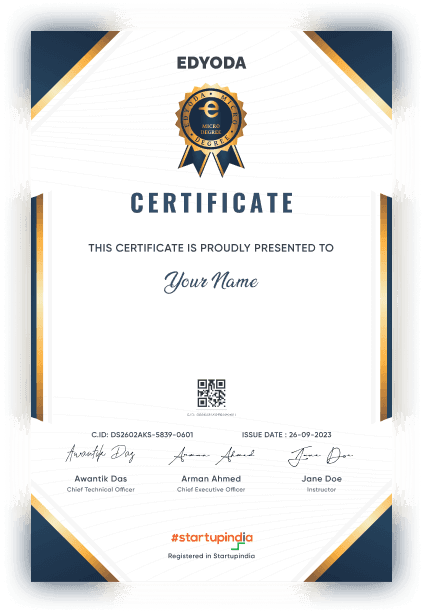
for successfully completing the 'Databricks Data Engineering Certification' course conducted from 17 Aug 2026 to 28 Sep 2026

100% Moneyback Guarantee
Top 1% Recruiters - Get interview access to 550+ Companies

Frequently Asked Questions
Everything you need to know about the course
You should have working knowledge of SQL for data querying, basic Python programming skills, and a fundamental understanding of data engineering concepts like ETL processes and data pipelines. Some familiarity with cloud computing concepts is helpful but not mandatory.
The course covers Azure Databricks platform fundamentals, Apache Spark for large-scale data processing, PySpark and Spark SQL programming, Delta Lake architecture and the data lakehouse paradigm, ETL/ELT workflow design, data governance and security, Spark performance optimization, and Databricks Jobs and workflow orchestration. The curriculum is aligned with the Databricks Data Engineer certification exam objectives.
The course runs for 6 weeks. You should plan to dedicate approximately 8-10 hours per week, which includes video lectures, hands-on labs in Databricks notebooks, project work, and certification preparation exercises.
You will complete three industry-relevant projects involving building end-to-end data pipelines, implementing Delta Lake architectures, processing streaming data, and optimizing Spark jobs. Additionally, you will work through practical exercises in Databricks notebooks that mirror real-world data engineering scenarios and certification exam topics.
This course prepares you for the Databricks Certified Data Engineer Associate exam and equips you with in-demand skills in cloud data engineering. Graduates are well-positioned for roles such as Data Engineer, Big Data Architect, and Cloud Data Specialist, with expertise in one of the fastest-growing data platforms used by enterprises worldwide.
You will work hands-on with Azure Databricks, Apache Spark, PySpark, Spark SQL, Delta Lake, Azure Blob Storage, and Azure Data Lake Storage. You will also use Databricks notebooks, Databricks Jobs for workflow orchestration, and the Unity Catalog for data governance.
The Micro Degree course is an online LIVE course, where LIVE sessions will be conducted online on our Classroom platform. Prior to the start of the course, you'll receive preparatory material in the form of recorded content which can be access on the same platform.
In this course instructors will use English language for teaching.
Upon successful registration, you will receive a confirmation email on your registered email ID. In this email you will receive login details for your newly created account on the Edyoda Classroom platform (https://classroom.edyoda.com). Additionally, you will receive a PDF guide containing step-by-step instructions on how to utilize the platform to access live sessions and learning materials.
Our instructors are the industry experts with a minimum working experience of 10 years with a strong technical and teaching background. They bring industry knowledge and practical expertise to the course.
Yes, the course includes online assignments, quizzes, and a final project to reinforce your learning and assess your proficiency in Databricks Data Engineering Certification.
Yes, you can interact with instructors and fellow students through discussion forums, live Q&A sessions. We encourage a supportive learning community.
Yes, hands-on lab access is available at an additional cost, typically around ₹2,750 (or $30 for international learners) per year. This is the standard rate for most tracks, though specialized labs such as Data and Security may be priced differently. Beyond just practicing what you learn, the labs let you host and showcase your projects live, so you can share your work on social media or present it directly to recruiters as part of your portfolio.
We offer a 100% money-back guarantee to ensure your complete satisfaction. If you're not satisfied, you can request a full refund within 3 days of purchase or before the second session, whichever comes earlier. Simply contact our support team(support@edyoda.com) with your purchase details, such as the order ID or email address, and share your reason for the refund. Requests made after 3 days or after the second session will not be eligible for a refund. There are no hidden charges, you will receive the full amount paid. Refunds are processed within 7–10 business days and credited back to your original payment method.
Recommendations




