




MICRO DEGREE
Power BI with GenAI & Copilot
Power BI with Gen AI & Copilot Developer

100% LIVE Interactive Classes
Power BI with Gen AI & Copilot Developer
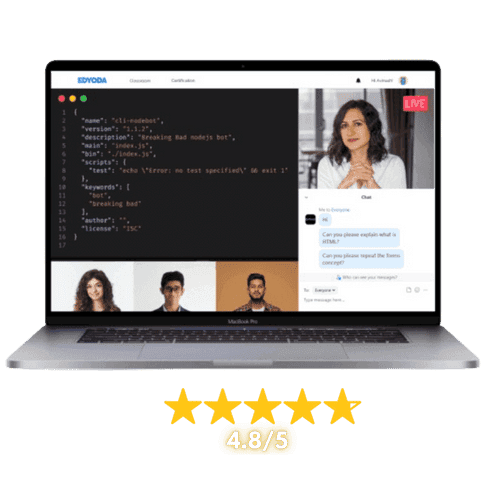
100% LIVE Interactive Classes

Reserve your spot today!
Basic Info
Select Offers
Application closes on:10 Oct 2026
Get instant access of pre-course material!
Talk to Us
We’re here to help! Reach us at:
What is in it for you?

 100% Live Classes
Instructor-led Live Sessions
Attend 4 weeks of instructor led live classes from the top 1% industry experts


Projects & Case Studies
Projects & Case Studies
Gain hands-on experience with projects and real-world case studies for impactful learning.

Verified Certificate
Verified Certificate
Earn a industry recognized certificate and kick start your career

Session Recordings
Session Recordings
Revisit older chapters anytime with recorded sessions

Flexible Schedule
Flexible Schedule
Choose live classes from different cohorts that fit your availability.

Hands-on Lab Access
Hands-on Lab Access
Students get access to labs to practice their learnings
 100% Moneyback Guarantee
Grab your slot before the offer expires
Reserve your spot today!
Basic Info
Select Offers
Application closes on:10 Oct 2026
Get instant access of pre-course material!
Talk to Us
We’re here to help! Reach us at:
Learn from Top 1%
Sr. Managers, VPs, CXOs, Directors & Founders from companies shaping the future.

Combo Offers
Create Your Own Combo
100% Moneyback Guarantee
Available in 4 monthly installments at $61/month
Reserve your spot today!
Curriculum
Duration: 5 weeks
Max Batch Size: 15 persons
Live Sessions Schedule  Sat - Sun (Weekends Only)
  Timing 7:00 AM - 9:00 AM / 8:30 AM - 10:30 AM / 11:00 AM - 1:00 PM / 5:00 PM - 7:00 PM / 7:30 PM - 9:30 PM EST

- Introduction to BI in the age of AI
- Use cases of BI with GenAI
- Power BI vs Tableau vs QlikView (AI comparison)
- Why Power BI with GenAI & Copilot?
- Power BI components and building blocks
- Architecture of Power BI with AI integration
- Power BI pricing and Copilot availability
Mentors

12+ Years, Sr Analyst Manager, Tiger Analytics


10+ Years, Tech Leader, Tiger Analytics

Course Includes

LIVE Interactive Sessions

Quizzes, Assignments & Projects

Study Materials & Session Recordings

Lab Access

Certificate
Tools Covered

Course Includes
LIVE Interactive Sessions
Quizzes, Assignments & Projects
Study Materials & Session Recordings
Lab Access
Certificate
Course Pre-requisites
.ffb97545.png&w=16&q=75&dpl=dpl_9BwYgWFpyUrhRysbsyKfenbS3Snh) Basic understanding of data concepts and spreadsheets (e.g., Excel)
Basic understanding of data concepts and spreadsheets (e.g., Excel)- Familiarity with business reporting needs and KPIs
- No prior Power BI experience required
Outcomes
- Build interactive dashboards and reports using Power BI Desktop for business intelligence
- Implement data modeling with DAX formulas and calculated measures for advanced analytics
- Connect and transform data from multiple sources using Power Query data pipelines
- Leverage AI-powered features including Copilot, Q&A, and Smart Narratives to accelerate insight generation
- Design visually compelling data visualizations and data stories for stakeholder communication
- Apply data governance, row-level security, and workspace management for enterprise Power BI deployments
- Automate report generation and natural language querying using GenAI capabilities in Power BI
- Analyse business data trends and create predictive insights using Power BI's built-in AI visuals
Projects You Will Build
Practical, enterprise-grade projects that reflect real industry challenges
Retail Sales Insights Dashboard with Copilot
Develop an interactive Power BI dashboard analyzing sales trends, customer segmentation, and inventory metrics for a retail chain. Use Power Query to clean and transform multi-source data, build a star-schema data model with DAX measures, and leverage Copilot to auto-generate Smart Narratives and natural language summaries for executive stakeholders.
HR Workforce Analytics with AI-Powered Visuals
Create an end-to-end HR analytics solution that tracks attrition, headcount, diversity, and employee satisfaction using Power BI. Integrate AI visuals such as Key Influencers and Decomposition Trees to identify drivers of turnover, and use Copilot's Q&A feature to enable HR managers to ask questions of the data in natural language.
Financial Performance Report with GenAI Automation
Build a multi-page financial performance report consolidating revenue, expenses, and profitability data from multiple departments. Implement row-level security for department-specific access, use DAX for time-intelligence calculations like YoY growth, and employ GenAI-powered Smart Narratives and Copilot to automatically summarize financial insights for monthly board reviews.

for successfully completing the 'Power BI with GenAI & Copilot' course conducted from 04 Sep 2026 to 09 Oct 2026
Add a Industry Recognized
Certificate To Your Resume
Industry Recognized
Certificate
Learn the best from the best

Career Advancements
Elevate your career with a respected certificate
Industry Respect
Gain credibility in the field
Networking
Connect with experts and peers
Opportunities
Attract exciting job prospects and promotions

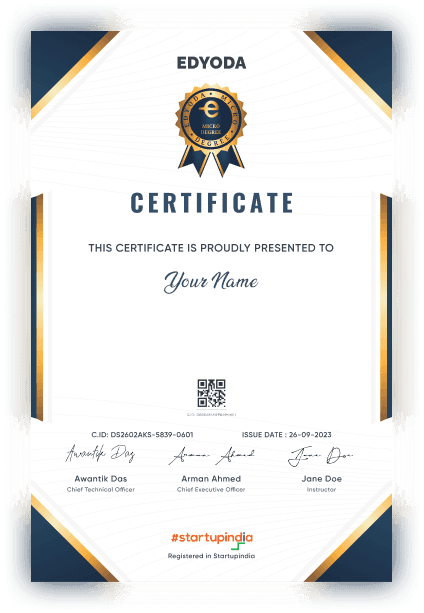
for successfully completing the 'Power BI with GenAI & Copilot' course conducted from 04 Sep 2026 to 09 Oct 2026

100% Moneyback Guarantee
Top 1% Recruiters - Get interview access to 550+ Companies

Frequently Asked Questions
Everything you need to know about the course
No prior Power BI or programming experience is required. The course starts with foundational concepts and progressively builds to advanced topics. A basic understanding of spreadsheets and data concepts is helpful but not mandatory.
The curriculum covers Power BI Desktop fundamentals, data connectivity and transformation with Power Query, data modeling and DAX formulas, interactive dashboard design, AI-powered features including Copilot, Q&A, Smart Narratives, AI visuals, data governance, row-level security, and data storytelling best practices.
The course spans 5 weeks and is designed for a commitment of approximately 8-10 hours per week. This includes video lessons, hands-on labs, and project work. The flexible online format allows you to learn at your own pace within each week's schedule.
You will complete three industry-relevant projects including a retail sales dashboard, an HR analytics solution, and a financial performance report. Each project involves real-world datasets and requires you to apply data modeling, DAX calculations, AI features like Copilot, and visualization best practices.
This course prepares you for roles such as Business Intelligence Analyst, Power BI Developer, Data Visualization Specialist, and AI-Powered BI Consultant. With GenAI and Copilot skills, you'll be equipped with cutting-edge capabilities that are increasingly in demand as organizations adopt AI-augmented analytics.
You will work primarily with Power BI Desktop, Power Query, and DAX. You'll also use Power BI's built-in AI features including Copilot, Q&A, Smart Narratives, Key Influencers, and Decomposition Tree visuals. The course also covers Power BI Service for publishing, sharing, and managing enterprise reports.
The Micro Degree course is an online LIVE course, where LIVE sessions will be conducted online on our Classroom platform. Prior to the start of the course, you'll receive preparatory material in the form of recorded content which can be access on the same platform.
In this course instructors will use English language for teaching.
Upon successful registration, you will receive a confirmation email on your registered email ID. In this email you will receive login details for your newly created account on the Edyoda Classroom platform (https://classroom.edyoda.com). Additionally, you will receive a PDF guide containing step-by-step instructions on how to utilize the platform to access live sessions and learning materials.
Our instructors are the industry experts with a minimum working experience of 10 years with a strong technical and teaching background. They bring industry knowledge and practical expertise to the course.
Yes, the course includes online assignments, quizzes, and a final project to reinforce your learning and assess your proficiency in Power BI with GenAI & Copilot.
Yes, you can interact with instructors and fellow students through discussion forums, live Q&A sessions. We encourage a supportive learning community.
Yes, hands-on lab access is available at an additional cost, typically around ₹2,750 (or $30 for international learners) per year. This is the standard rate for most tracks, though specialized labs such as Data and Security may be priced differently. Beyond just practicing what you learn, the labs let you host and showcase your projects live, so you can share your work on social media or present it directly to recruiters as part of your portfolio.
We offer a 100% money-back guarantee to ensure your complete satisfaction. If you're not satisfied, you can request a full refund within 3 days of purchase or before the second session, whichever comes earlier. Simply contact our support team(support@edyoda.com) with your purchase details, such as the order ID or email address, and share your reason for the refund. Requests made after 3 days or after the second session will not be eligible for a refund. There are no hidden charges, you will receive the full amount paid. Refunds are processed within 7–10 business days and credited back to your original payment method.
Recommendations




